Series Introduction
This article is part of my Incident Response series, where I use the same fictional identity compromise across every piece to keep the entire workflow aligned. The goal is to show how a single incident can be documented, analysed, simulated, and improved, exactly the way a real organisation would handle it. The series covers how to report an incident, how to run a tabletop exercise, how to facilitate it, what supporting documents to provide, and how to write the After‑Action Report that turns discussion into measurable improvement.
Articles in the series:
- Post‑Incident Review (PIR) Example
- Tabletop Exercise Scenario
- Facilitator’s Script
- Participant Handout ← this article
- After‑Action Report (AAR)
Participant Handout
Before You Begin
A participant handout sets the tone for the entire exercise. It gives everyone the same starting point, removes uncertainty, and helps people focus on the scenario rather than trying to remember process details. This one is designed to be read in under two minutes, just enough to orient the room without overwhelming it.
I display each stage of the exercise on the smartboard to guide the room, pace the discussion, and keep everyone working from the same context.
Tabletop Exercise: Identity Compromise via MFA Fatigue & OAuth Persistence
Purpose
Identity attacks in 2026 rarely start with malware, they start with people. MFA fatigue and malicious OAuth persistence are two of the most common, most misunderstood identity attack paths today. This scenario gives participants a safe space to explore how these attacks unfold, how quickly they escalate, and how well current processes support detection, escalation, and containment.
Scenario Summary
At 06:12, a staff member receives repeated MFA prompts and accidentally approves one. The attacker logs into Microsoft 365, registers a malicious OAuth application, creates inbox rules to hide alerts, and accesses OneDrive files.
Automation detects the anomaly at 06:45, but the SOC does not see it until 08:00 when the shift begins. Containment occurs at 08:12.
During the Hot Wash, the team discovers password reuse and that the password appeared in a third‑party breach, revealing governance and training gaps.
Exercise Structure
The exercise moves through five stages, each building on the last:
- Initial Suspicious Activity
- OAuth Persistence
- Automated Alerting & SOC Response
- Escalation & Business Impact
- Hot Wash & Improvement
Your Role as a Participant
This exercise works best when participants are candid, curious, and willing to explore uncertainty.
- Think aloud – narrate your reasoning so others can build on it
- Challenge assumptions – respectfully question gaps, blind spots, and unclear steps
- Focus on process, not blame – this is about systems, not individuals
- Reference your IRP – bring policy and procedure into the discussion
- Consider both technical and business impact – leadership decisions depend on both
Your contribution shapes the quality of the discussion and the value of the outputs.
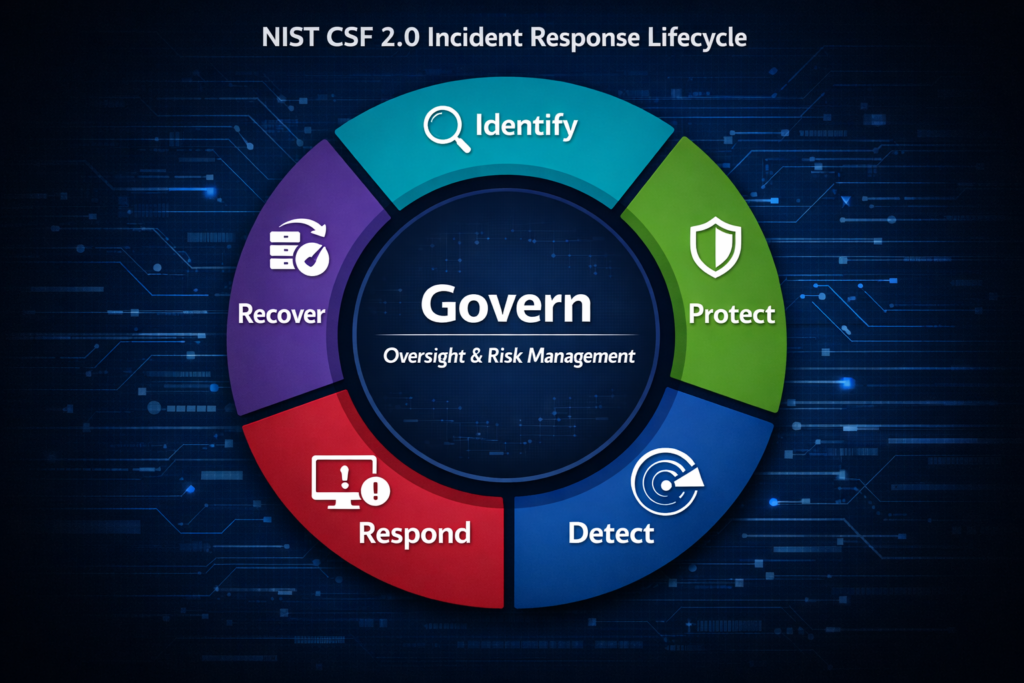
NIST CSF 2.0 Categories Used (Category‑Level Only)
To ensure consistency across this exercise uses category‑level mappings only:
- PR.AA – Identity Management, Authentication & Access Control
- PR.AT – Awareness & Training
- DE.AE – Anomalies & Events
- DE.CM – Continuous Monitoring
- RS.AN – Analysis
- RS.CO – Communications
- RS.MI – Mitigation
- GV.OC – Oversight & Culture
- GV.RM – Risk Management Strategy
- ID.AM – Asset/Data Visibility
- ID.IM – Improvement
- RC.CO – Recovery Communications
Expected Outputs
By the end of the exercise, participants should collectively produce:
- Updated IRP sections where gaps were identified
- Updated identity playbook reflecting improved detection and response steps
- Updated training requirements for MFA fatigue, OAuth risks, and user awareness
- Governance improvements (e.g., app consent, password policies, after‑hours alerting)
- Remediation register entries with owners, priorities, and timelines
These outputs feed directly into the After‑Action Report and long‑term improvement planning.
Continue Reading
This is part of an ongoing series. If you want the full picture, the rest of the articles are worth your time.
How to Write an After Action Report (AAR) for Cyber Tabletop Exercises
How to Run a Cybersecurity Tabletop Exercise: Facilitator Script with Discussion Prompts
How to Run a Cybersecurity Tabletop Exercise: A Complete Example Scenario and Facilitation Guide
How to Write a Post-Incident Review (PIR) Report (With Real-World Example)
How to Build an Incident Response Plan: A Complete NIST CSF 2.0 Example
How to Write a Modern Incident Response Plan (IRP) Using NIST CSF 2.0
The Evolution of Incident Response: Updating the Classic NIST IRP to the 2026 Framework