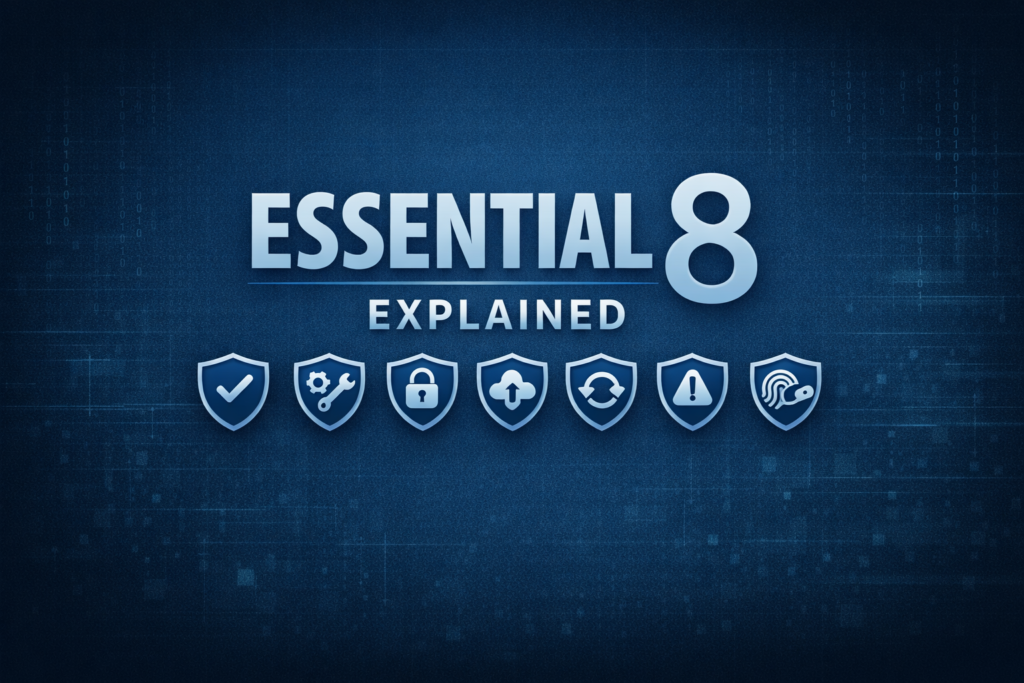
If you work in Australia, you’ve probably heard someone mention the ACSC Essential 8 in a meeting, usually right before everyone nods like they understand what’s going on. Spoiler: most people don’t.
The Essential 8 is Australia’s baseline cyber security framework, a minimum and a voluntary baseline standard organisations can adopt to meet their cyber security goals.
But because cyber loves jargon, the Essential 8 often gets explained in a way that makes normal humans switch off. So let’s fix that.
Here’s the Essential 8, explained like you’re new to cyber but actually want to understand what’s going on.
The Essential 8 is made up of eight practical controls designed to reduce the most common cyber risks. Here’s what each one actually means in plain English.
1. Application Control
What it is: Only letting approved apps run on your systems.
Why it matters: It stops malware, dodgy installers, and “I found this cool tool on the internet” moments.
Real example: Someone downloads a fake Chrome update. Application control blocks it before it runs.
Common mistake: Thinking antivirus is enough.
What good looks like: A curated list of allowed apps, everything else is blocked by default.
2. Patch Applications
What it is: Keeping software up to date.
Why it matters: Most cyber incidents exploit old, unpatched vulnerabilities.
Real example: The finance team keeps postponing a software update, and six months later ransomware exploits that exact unpatched flaw.
Common mistake: Updating once a year and calling it a day.
What good looks like: Regular, automated patching with a clear schedule and accountability.
3. Configure Microsoft Office Macro Settings
What it is: Stopping malicious macros from running in Word, Excel, and friends.
Why it matters: Downloading macros from the Internet is one of the oldest, easiest ways to deliver malware.
Real example: “Invoice attached” emails with a macro that detonates malware.
Common mistake: Allowing macros from the internet “just this once”.
What good looks like: Macros blocked by default unless they’re digitally signed and trusted.
4. User Application Hardening
What it is: Turning off risky features in browsers and apps.
Why it matters: Attackers love exploiting unnecessary features.
Real example: Blocking browser add‑ons stops a malicious Chrome extension from being installed.
Common mistake: Leaving everything enabled because “someone might need it”.
What good looks like: Browsers locked down, unnecessary plugins removed, risky features disabled.
5. Restrict Administrative Privileges
What it is: Only giving admin access to people who actually need it.
Why it matters: If an attacker gets admin rights, it’s game over.
Real example: A staff member logs in as admin and gets compromised checking emails. Malware now has full control.
Common mistake: “Everyone is an admin because it’s easier.”
What good looks like: Least privilege. Admin accounts separated. Access reviewed regularly.
6. Patch Operating Systems
What it is: Updating Windows, macOS, Linux automatically.
Why it matters: OS vulnerabilities are high‑value targets.
Real example: WannaCry spread globally because of an unpatched Windows vulnerability.
Common mistake: Delaying updates because “it might break something”.
What good looks like: Automated OS patching with proper testing and rollout.
7. Multi-Factor Authentication (MFA)
What it is: A second layer of verification beyond passwords.
Why it matters: Passwords get stolen constantly. MFA stops most account takeovers.
Real example: Someone’s password leaks in a breach, MFA blocks the login attempt.
Common mistake: Only enabling MFA for IT staff.
What good looks like: MFA everywhere: email, VPN, admin accounts, cloud apps.
8. Regular Backups
What it is: Keeping secure, offline copies of important data.
Why it matters: Ransomware can’t win if you can restore your systems.
Real example: A company gets encrypted but restores from backups and avoids paying the ransom.
Common mistake: Backups stored on the same network that gets compromised.
What good looks like: Automated, tested, offline backups with clear recovery procedures.
Once you understand the controls, the next step is understanding how well you’re expected to implement them — that’s where maturity levels come in.
Understanding the Essential 8 Maturity Levels (Without the Jargon)
The Essential 8 doesn’t just tell you what to do, it also measures how well you’re doing it. That’s where the maturity levels come in. Think of them like fitness levels for your security program.
Maturity Level 0
“We’re exposed and we know it.”
Controls are missing, inconsistent, or easily bypassed.
If attackers try something basic, it’ll probably work.
Maturity Level 1
There’s a misconception that Maturity Level 1 is “basic” or “not enough.”
In reality, Level 1 is a solid, defensible security posture for most Australian organisations, especially small to medium businesses and teams with limited budgets or legacy constraints.
Level 1 is the baseline done properly.
Here’s what Level 1 actually gives you:
- Protection against the most common attacks. Phishing, ransomware, opportunistic scanning, commodity malware.
- Consistent implementation. Controls aren’t perfect, but they’re reliable and repeatable.
- A meaningful uplift from “we hope nothing happens” to “we can stop most of what’s out there.”
- A realistic balance between security, cost, and operational impact.
- A defensible position when reporting to executives, auditors, or insurers.
Level 1 is not “immature.” It’s sustainable, defensible, and appropriate for many organisations.
Maturity Level 2
“We’re getting serious and closing the gaps.”
Level 2 is where organisations start tightening controls in a way that requires more budget, more technical skill, and a lower risk appetite. You’re implementing harder controls like strict application allow‑listing, enforced macro signing, proper admin segregation, and consistent patching across complex environments, all of which demand time, tooling, and capability. It’s a meaningful uplift, but it only works if the organisation is willing to invest and accept the operational impact that comes with stronger security.
Maturity Level 3
“We’re hardened and resilient.”
Level 3 is for organisations with a low risk appetite and the budget, skills, and operational tolerance to run security at an advanced level. This is where you implement the hardest controls: fully enforced application allow‑listing, strict macro trust, continuous monitoring, privileged access isolation, rapid patching across complex environments, and tightly locked‑down configurations. It’s a strong, resilient posture, but it demands significant investment, specialised capability, and a business willing to accept the operational friction that comes with high‑assurance security.
What should your organisation aim for?
Most Australian organisations end up somewhere in the middle, aiming for a baseline of Level 1 but hitting some Level 3 controls, having a mix based on what’s realistic. For some controls, Level 1 is the highest you can reach due to operational constraints, legacy systems, or budget limits. For others, you might naturally hit Level 2 or even Level 3 without extra effort because the business already works in a way that supports stronger controls. Some organisations deliberately aim for Level 1 overall but still benefit from implementing a few Level 2 or 3 controls where they’re easy wins. Others can only sustain Level 1 across the board, and that’s completely fine if it aligns with their risk, resources, and business reality.
Why Chasing Maturity Level 3 Isn’t Always the Right Move
When I first started planning our Essential 8 uplift the first time, I did what most security people do: I mapped out how we could reach Maturity Level 3 across all controls. On paper, it looked achievable. In reality, it wasn’t.
After digging deeper, talking with teams, reviewing systems, understanding business processes, and looking honestly at our technical capability, it became clear that Level 3 simply wasn’t realistic for some controls. Not because we didn’t care about security, but because:
- the budget required would have been enormous
- the technical skills needed weren’t available internally
- the operational impact would have slowed the business down
- the restrictions required at Level 3 would have broken legitimate workflows
This is the part people don’t say out loud: Maturity Level 3 is not designed for every organisation.
For many businesses, especially those with legacy systems, small teams, or limited budgets, trying to force Level 3 can actually hurt the organisation more than it helps. You end up with controls that look impressive in a spreadsheet but don’t survive contact with real‑world operations.
The Essential 8 isn’t about chasing perfection, it’s about building a security foundation your organisation can actually run, support, and sustain. Every business has different systems, budgets, skills, and risk appetites, which means your maturity target won’t look the same as someone else’s. For some controls, Level 1 will be the ceiling. For others, Level 2 or 3 might be easy wins. What matters is choosing a maturity level that strengthens your security without breaking your operations. When you approach the Essential 8 with honesty, context, and a focus on what’s achievable, you end up with something far more valuable than a score: a security posture that genuinely protects the organisation and supports the way it works.
Strong security isn’t about hitting Level 3, it’s about choosing controls your organisation can actually sustain.
Further reading
Australian Signals Directorate E8 information can be found here.